Video to Prompt

Video to Prompt & Image to Prompt — Free AI Prompt Generator

The free Video to Prompt and Image to Prompt tool. Upload any video or image and our AI instantly reverse-engineers it into detailed, production-ready prompts for Seedance, Veo, Kling, Wan, Midjourney, GPT Image, Nano Banana, Seedream, FLUX, and more. No signup required.

REC · 24fps · 21:9
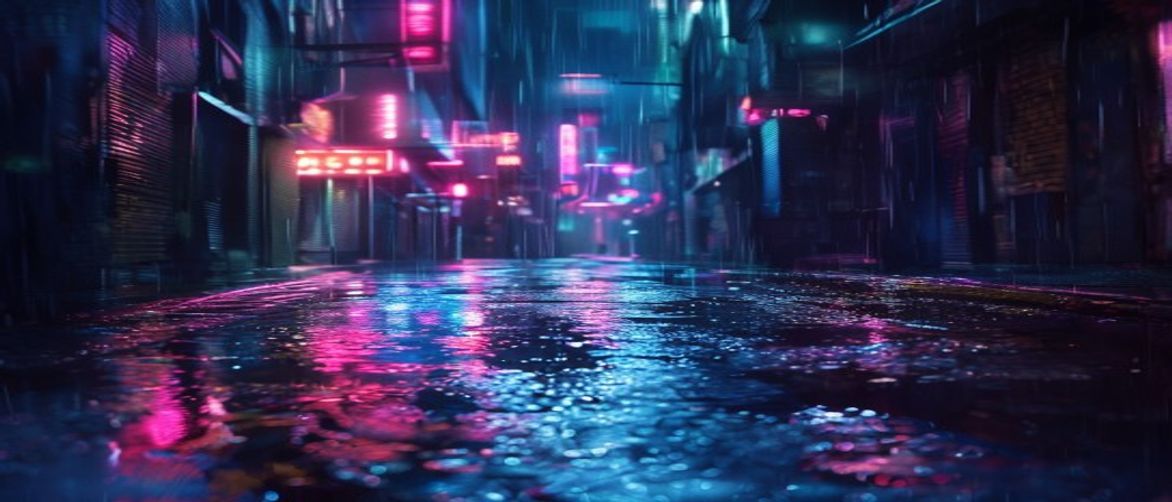
Letterboxed video frame with an extracted AI prompt caption

Extracted prompt

cinematic tracking shot through rain-soaked neon alley, shallow depth of field, tungsten practicals, anamorphic flares, wet asphalt reflections, 35mm film grain —

Try it now

Video to Prompt & Image to Prompt

Reverse-engineer video content. Upload a video and AI will generate precise descriptive prompts for Seedance, Veo, Kling, or Wan.

Output language

Upload Video

MP4, WebM or MOV (Max 50MB)

CLICK OR DRAG FILE

About

What is Video to Prompt — and Image to Prompt?

Video to Prompt is the fastest way to convert any video into a detailed AI prompt. Upload a video clip and our AI engine analyzes every key frame — extracting scene composition, lighting atmosphere, color grading, motion style, and subject details — then outputs a structured, ready-to-use prompt optimized for Seedance, Veo, Kling, Wan, and every major text-to-video tool. Image to Prompt works the same way for static visuals: drop any image and instantly receive a rich prompt tuned for Midjourney, GPT Image, Nano Banana, Seedream, and FLUX. Whether you are a content creator, filmmaker, digital artist, or prompt engineer, Video to Prompt and Image to Prompt eliminate the guesswork and save hours of manual writing — every single session.

01

Step 1 — Upload Your Video or Image

Start your Video to Prompt or Image to Prompt session by uploading any MP4, MOV, WebM, JPG, or PNG file. No account required. Videos up to 50MB and images up to 10MB are supported — processing begins immediately.

02

Step 2 — AI Analyzes Every Detail

Our advanced AI model dissects every key frame of your video, or every region of your image. It identifies subject matter, movement, color palette, lighting mood, depth of field, art style, and cinematic grammar — everything a great prompt needs. This is the core of what makes Video to Prompt so accurate.

03

Step 3 — Get Your Optimized Prompt

Video to Prompt delivers a detailed, ready-to-use prompt in seconds — written for text-to-video and image models such as Seedance, Veo, Kling, Wan, Midjourney, GPT Image, Seedream, FLUX, and Nano Banana. Choose your output language, then copy and paste into your tool of choice.

04

Step 4 — Copy, Paste, and Create

One click copies your Video to Prompt or Image to Prompt result to the clipboard. Paste directly into your AI tool, iterate with variations, or save to your personal prompt library. The entire Video to Prompt workflow — from upload to usable prompt — takes under 60 seconds.

Benefits

Why Video to Prompt and Image to Prompt Are Game-Changers

Manual prompt writing is slow, inconsistent, and rarely captures the full visual richness of a scene. Video to Prompt and Image to Prompt automate the entire process — delivering precise, tool-optimized prompts in seconds instead of minutes.

Save Hours Every Week with Video to Prompt

Crafting a single detailed prompt by hand takes 10–30 minutes. With Video to Prompt, you upload a clip and get a production-ready prompt in under a minute. Teams using Video to Prompt report saving hours each week on prompt writing alone. Stop describing — start creating.

AI Sees What Human Eyes Miss

Video to Prompt and Image to Prompt analyze lighting, color palette, depth of field, motion, artistic style, and composition — details that are hard to spell out by hand. Every prompt is richer and more reproducible than a quick manual draft.

One Tool, Every AI Platform

Prompts are written to work across major video models (Seedance, Veo, Kling, Wan) and image models (Midjourney, GPT Image, Nano Banana, Seedream, FLUX). Copy once and reuse across the tools you already use.

Everything You Need in One Video to Prompt Tool

Video to Prompt combines powerful AI analysis, broad format support, and smart output formatting into a single free tool. Here is everything that makes Video to Prompt the go-to choice for creators and prompt engineers worldwide.

Broad Format Support for Video to Prompt

Video to Prompt accepts MP4, MOV, AVI, MKV, and WebM uploads (up to 50MB). Image to Prompt handles JPG, PNG, WEBP, and GIF (up to 10MB). No conversion needed — Video to Prompt processes your file as-is.

Intelligent Keyframe Extraction

Video to Prompt samples key frames across your clip in the browser, then sends those frames for AI analysis. You get coverage of the visual narrative without uploading the entire original file.

Style, Mood, and Cinematic Detection

Beyond objects and actions, Video to Prompt identifies color grading, emotional tone, art movement references, camera lens style, and pacing rhythm. Image to Prompt does the same for lighting direction, texture, and brushwork. Details that matter.

Ready for Major AI Models

Get a structured, detailed prompt you can paste into Seedance, Veo, Kling, Wan, Midjourney, GPT Image, FLUX, and more. Pick an output language, copy the result, and start creating — no manual reformatting required.

Privacy-First Processing

Only the frames needed for analysis are sent to the AI service, and we do not permanently store your uploads. Your source files stay under your control.

Prompt History & Personal Library

Every Video to Prompt and Image to Prompt result is saved to your local history. Browse, search, reload, and build a personal prompt library from your best-performing sources — all within the Video to Prompt interface.

Multilingual Output

Video to Prompt generates prompts in English by default — the standard for most AI tools. Switch to Chinese, Japanese, and other supported languages when you need localized output. Multilingual Video to Prompt support is included.

Video to Prompt — Frequently Asked Questions

Everything you need to know about Video to Prompt and Image to Prompt. Can't find an answer? Email us at support@videotoprompt.com

Start Using Video to Prompt — Free, Instant, No Signup

Join thousands of creators, filmmakers, artists, and prompt engineers who rely on Video to Prompt and Image to Prompt every day. Video to Prompt is 100% free and delivers production-ready prompts in under a minute. Try Video to Prompt now.